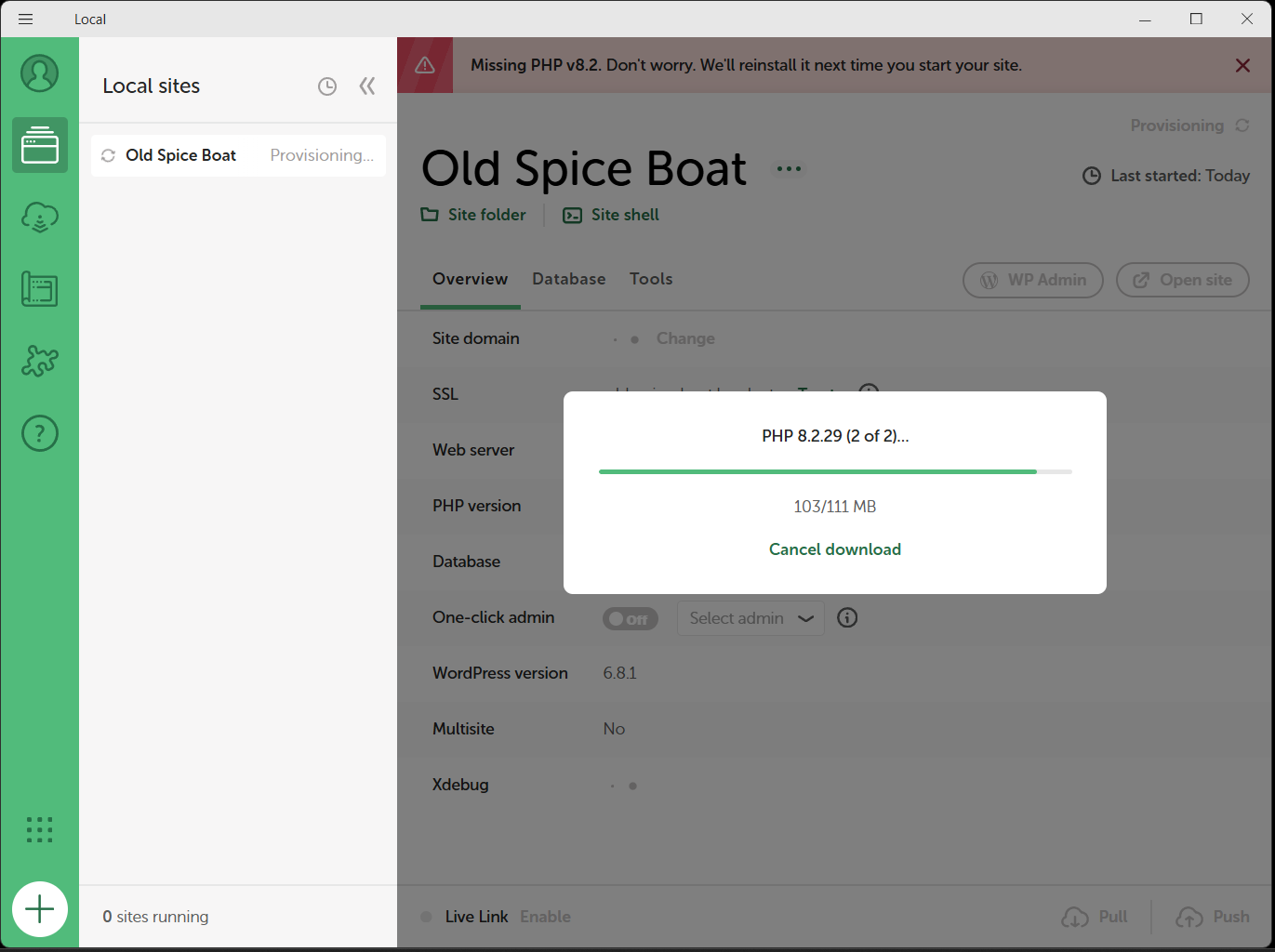
Thanks, @Old-Spice. The fact that Local can’t download new versions of PHP or WP suggests either network issues (due to software on your machine or settings on your wider network) or permissions/disk-write issues (typically due to security software, which you say you think you’ve ruled out).
I see Killer Control Center in your list. It’s possible you have its demon running in the background (e.g. “Killer Network Service” or similar) separately to the “Control Center” app that you’re not running on launch (which is just a GUI to control what gets filtered). It might be affecting Local’s network access, so that’s something you could explore.
If that doesn’t help you could try Local on another network (e.g. different Wi-Fi or tethered phone) or machine to determine if it’s a network or computer-specific issue.
Thank you very much for your attention and feedback. I will look for Killer Network Service (or similar) and try using my phone as alternative network access.
I checked Task Manager and disabled the background processes associated with my Brave browser and Killer Network Services. The system prevents me from ending the task MS Realtime Network Service Inspection which shows an MS Defender sub-task. I attempted to download and update PHP, it started but appeared to hang at the last moment, showing 103/111 MB in the progress dialog.
I then disconnected my home network and used my phone as a hotspot. With the background processes still disabled I attempted the PHP update which started but appeared to hang showing 107/111|MB in the progress dialog.
I deleted my Local WP site and uninstalled Local. Cold boot, closed background tasks, downloaded new install file for Local. Ran install, ran Local (as Admin just to be sure), created a new WP site (same name) sucessfully. Attempted a PHP update which hung as before.
If you run Local as administrator (close Local, right-click the app icon, choose “run as administrator” — should give Local broader filesystem access, not the same as running as your current admin user), do downloads succeed?
The other factor that could affect this is a full disk, but I think you already ruled this out earlier (“730GB free”).
I have raised the mysqld issue several times
@codemonkeynorth Thank you for your reports, I replied to your thread here:
the 8.0.16 version in 9.1.1 did not have this issues
Newer versions of MySQL that Local ships with require updated DLLs on Windows. Local tries to install these but we’ve seen installation get blocked, as in the current thread. Manually installing the DLLs as described above can help, as it did here to unblock the initial MySQL errors.
If you continue to see errors please feel free to reply in the other thread you started.