Hello Nick, Please find my answers below:
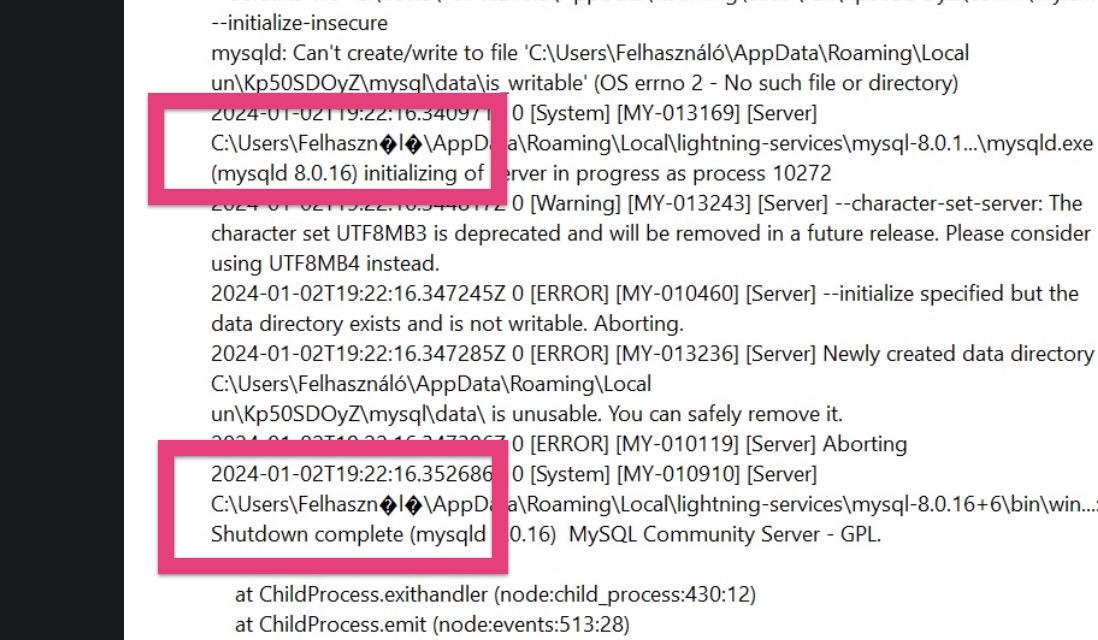
Windows 10 Pro, Local 8.2.0 windows. I have also attached the local logs. local-logs.zip (11.1 KB). I have downloaded the program 6 times with different emails, user names without special character. I have also changed the download locations, but still no clue. I start creating a new site and then I get this message.
The error message still indicates an issue with special characters. Are you able to change it to just Felhaszn without any characters or spaces afterward?
Hi Nick, thanks for your reply. This word is the correspondent for “user” in Hungarian, default Windows setting, but I will try to change the language for the OS and let you know the outcome. Katalin
Do you have any antivirus, security, or firewall applications that you could disable or check settings on?
I already checked my antivirus ans firewall. Normally was ok. I also stopped the applications that open when my computer starts live my antivirus.
Are you running other developer applications simultaneously? That could also cause similar issues. Apps like MAMP, XAMPP, or Docker for example.
Yes I had, I just unustalled it. (screen shot below)
Hi Nick, I could’t change my user profile name (which is the admin name), even if I changed all the settings to English, no spec. characters Windows didn’t allow me to do so, but I managed to sort it out.
As you mentioned the problem was with the special character in my user profile. So what I did was to create a brand new profile to log into my computer without any special character and then I downloaded+openned there Local and then worked.
So this was the solution.