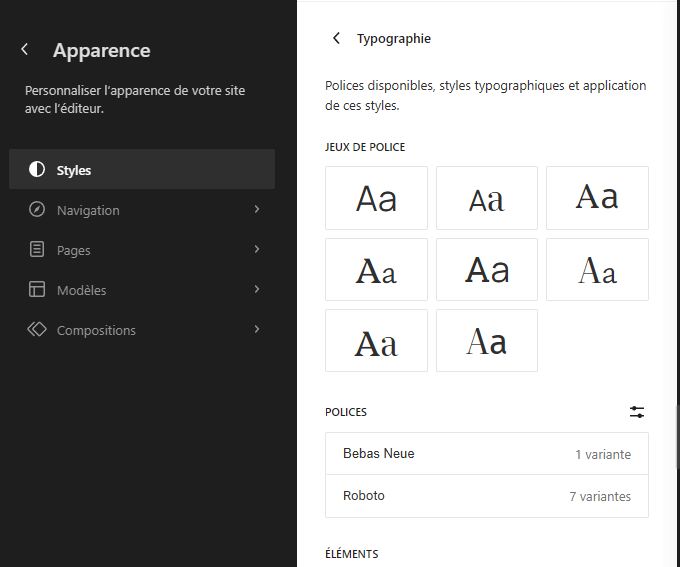
What issue or error are you experiencing? when I cloned a website, all was ok except the Google fonts.
What steps can be taken to replicate the issue? Feel free to include screenshots, videos, etc
I made sure to allow Google Fonts connection, and the 2 custom fonts are listed, but not working. I tried desactivating / activating again, didn’t work. In the orinigal website, the font name was even displayed using the font face, not here.
System Details
-
Local Version: Version 9.2.9+6887
-
Operating System (OS) and OS version: Windows 11 Pro 64 bits
Local Logs
Attach your Local Logs here (Help Doc - Retrieving Local’s Log)
logs.zip (121.1 KB)
Security Reminder
Local does a pretty good job of scrubbing private info from the logs and the errors it produces, however there’s always the possibility that something private can come through. Because these are public forums, always review the screenshots you are sharing to make sure there isn’t private info like passwords being displayed.

