my previous macbook pro died an unexpected and sudden death, but all my local dev files are in dropbox and synced automatcially. now on my new machine, i have all those files, but the local settings.json is blank (since that file is in the ~/Library, and not a shared/cloud folder)
and even after changing the setting on where to store the local site files, it doesn’t automatcially read anything even though all enclosed files were created by local in the first place
i do NOT want to have to take all my sites, create zip files of them, and create a new site, then delete the old files… that’s just gonna wreak havoc on everything since they are all also git repositories.
System Details
Local Version: Version 9.2.9+6887
Operating System (OS) and OS version: macOS Tahoe ( 26.2 (25C56) )
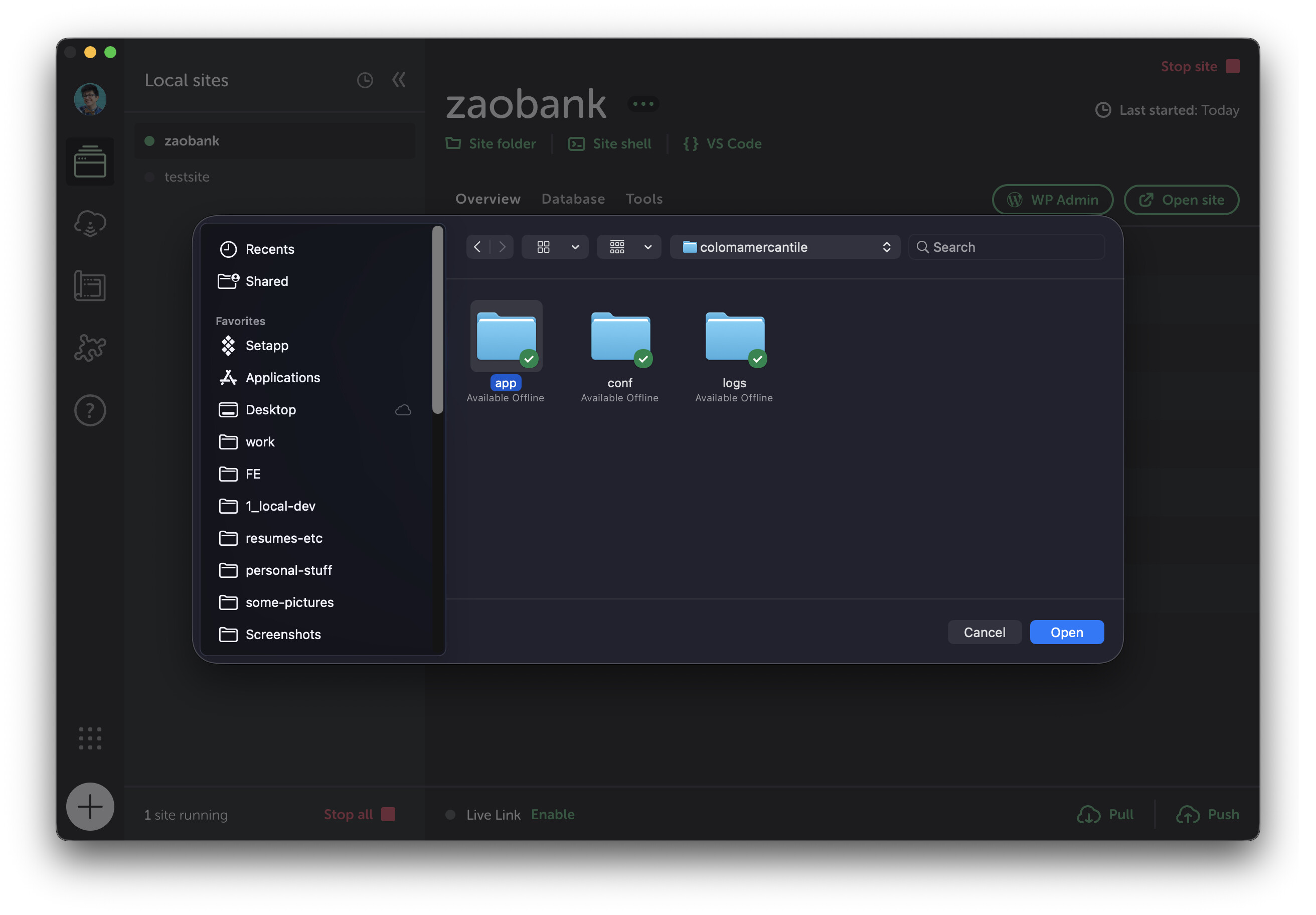
Instead of zipping up each site and reimporting it as a new install, you should be able to click on File → Import from your Top Bar and then navigate to and select the specific site file (the one that contains /app)
Doing it this way should retain your Git repos and ensure pathing is the same, and nothing is duplicated in the way that reimporting a zip file would do.
You would still be doing it for each site, but it should be a safer option if you want to test it on one first just to see.
Trying to do a workaround to reconnect everything en masse might be possible by directly editing the site.json, but it could get tricky and have more room for error.
i don’t see a single file, unless it’s somewhere within the /app folder? i’ve tried adding it this way but it only gives me the option to open the folder… and all the files are greyed out within every directory i’ve poked through. if you can tell me what the file path is for this file, then i can try this method
Apologies @tapps! It’s been a bit since I’ve used that method, and I didn’t realise it wasn’t working the same way as it used to.
I might connect with our developers and try to workshop a better alternative for you and make sure I don’t provide a misstep here. How many sites do you have that need to be resynced in total? Are these more or less basic installs or do they have any unique configurations?
no worries. i’d say i can probably archive a good dozen of these sites anyway, so probably only like 5-10 sites that i care about importing for active development. and they are all mostly basic installs, but all custom themes linked up to github for auto-deployment, so probably mostly pretty run of the mill.
After doing some checking, the short answer here is that manually importing is probably still going to be the best and most efficient path.
We’ve had some users find success in the past with restoring their sites.json, but they also had the run folders (where Local stores the DB), which makes recreation much easier.
If you do want to check your backups, the run folder is normally at ~/Library/Application\ Support/Local/run, and sites.json would be at ~/Library/Application\ Support/Local/sites.json.