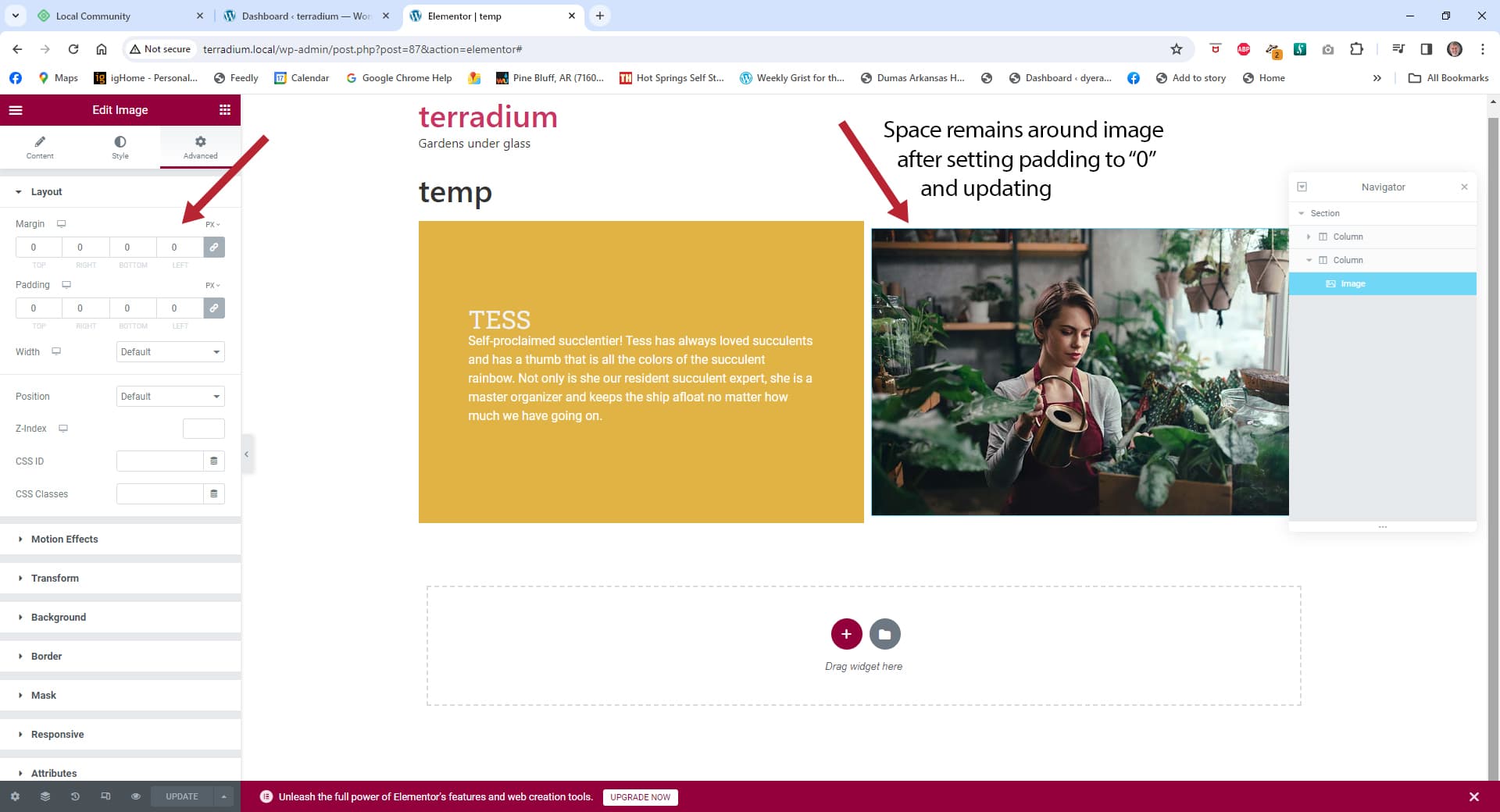
I am working with LinkedIn learnings elementor course. I’m presuming that others taking this course as well and may have experienced this issue. When I insert the picture, Tess, and reduce the padding to make the picture fit the container it does not work the space around the picture remains. For clarification, I realize this is an elementor board and not a LinkedIn, but since LinkedIn is a popular option for tutorials and simply hoping that someone has had a similar issue and may be able to help.
If this is an inappropriate topic my apologies and I will not make anymore requests like this.
Thanks,
Joe
Thanks
What steps can be taken to replicate the issue? Feel free to include screenshots, videos, etc
Security Reminder
Local does a pretty good job of scrubbing private info from the logs and the errors it produces, however there’s always the possibility that something private can come through. Because these are public forums, always review the screenshots you are sharing to make sure there isn’t private info like passwords being displayed.
Those resource Nick shared above should be helpful.
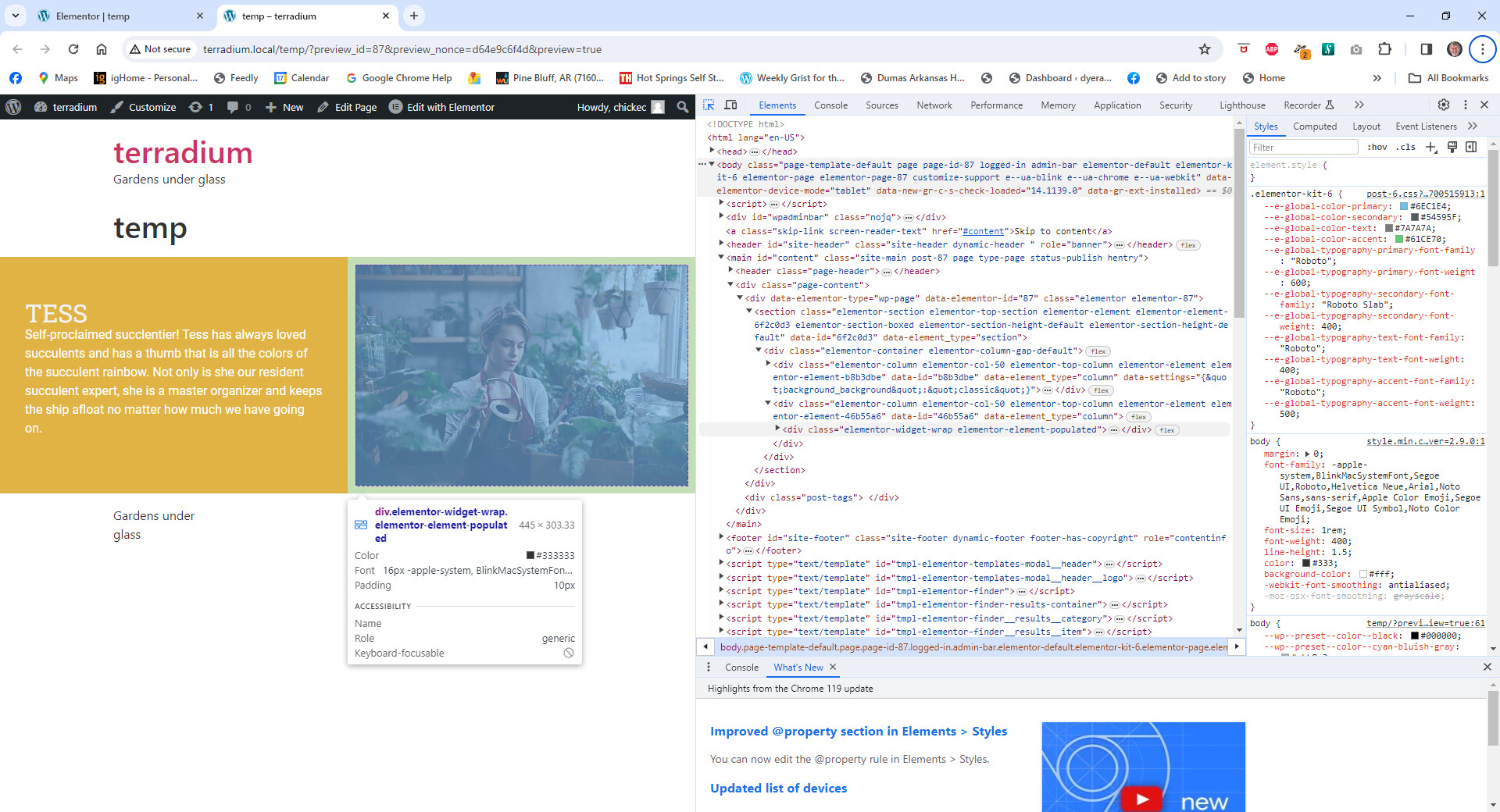
But also, I would recommend opening up the preview version of that page, using the “Inspect” tool from within your browser, and clicking on the image.
If you kind of hover around the image it will highlight the padded area and you can identify why it has whitespace. I’m wondering if maybe the image needs to be set to fill the container or if there is padding on the column, or something like that.
I managed to find the developer option to show page data, but I only know enough about reading code to be dangerous , but I did find that the only padding that was showing in the computed section was for the entire document. I could not find anything on the Tess image.
Thanks,
Joe
Sam, I only know enough about Reading code to be dangerous , but I did find that the only padding that was showing in the computed section was the padding for the entire the entire document and could not find anything on that Tess image
Sam, When you get good instructions it’s amazing what you will find. Low and behold it is showing that there is 10 pixels of padding around the image. And the widget panel or whatever it’s called the image dimensions are set up in EMS instead of pixels oh would one oh solution B to reset the measurements to pixels instead of AMS? If not I’ll wait on your solution.
Thanks,
Joe