It seems like something on the device is still preventing it from opening/syncing but it’s tough to narrow down. The next thing to try here might be a full uninstall/reinstall. The steps would look like this:
Export any sites that you have on Local and save them to a folder somewhere on your computer, if you can’t open the Local app you should still be able to search and find the Local Sites directory on your device and copy the files directly. Backup a Local Site - Local
Fully uninstall Local from your computer following the Windows specific steps here: Uninstall Local - Local
Install the latest version of Local on this link: Releases - Local
Once installed, please restart the computer.
When the computer is restarted and turned on, close any applications that automatically run in the background and ensure that you’re running Local as an administrator, that you don’t have any security blockers, and that Local has access to update your Hosts file. Troubleshoot: Windows + Local - Local
ok @Nick-B i have installed local to my admin only. Screenshot by Lightshot . It doesn’t open after installation. I allowed it on my Windows Defender, and I have done the READ ONLY on the host file. Nothing seems to work.
If you don’t have any other apps, programs or security that could be interfering here it’s tough to say for sure what else might be amiss. The latest version of Local is still working on my Windows 11 setup.
Do you know if your Windows 10 is 32 bit or 64 bit?
There are also some troubleshooting steps in this thread that you could try as well such as these:
Hello, @Nick-B I believe we are making progress. i tried the solutions on the link you sent. it didnt work at first, then i shutdown my system, and when I came back again to it. BOOM! it opened. i closed it and opened it again; it opened. I also closed it and run it as administrator, it opened.
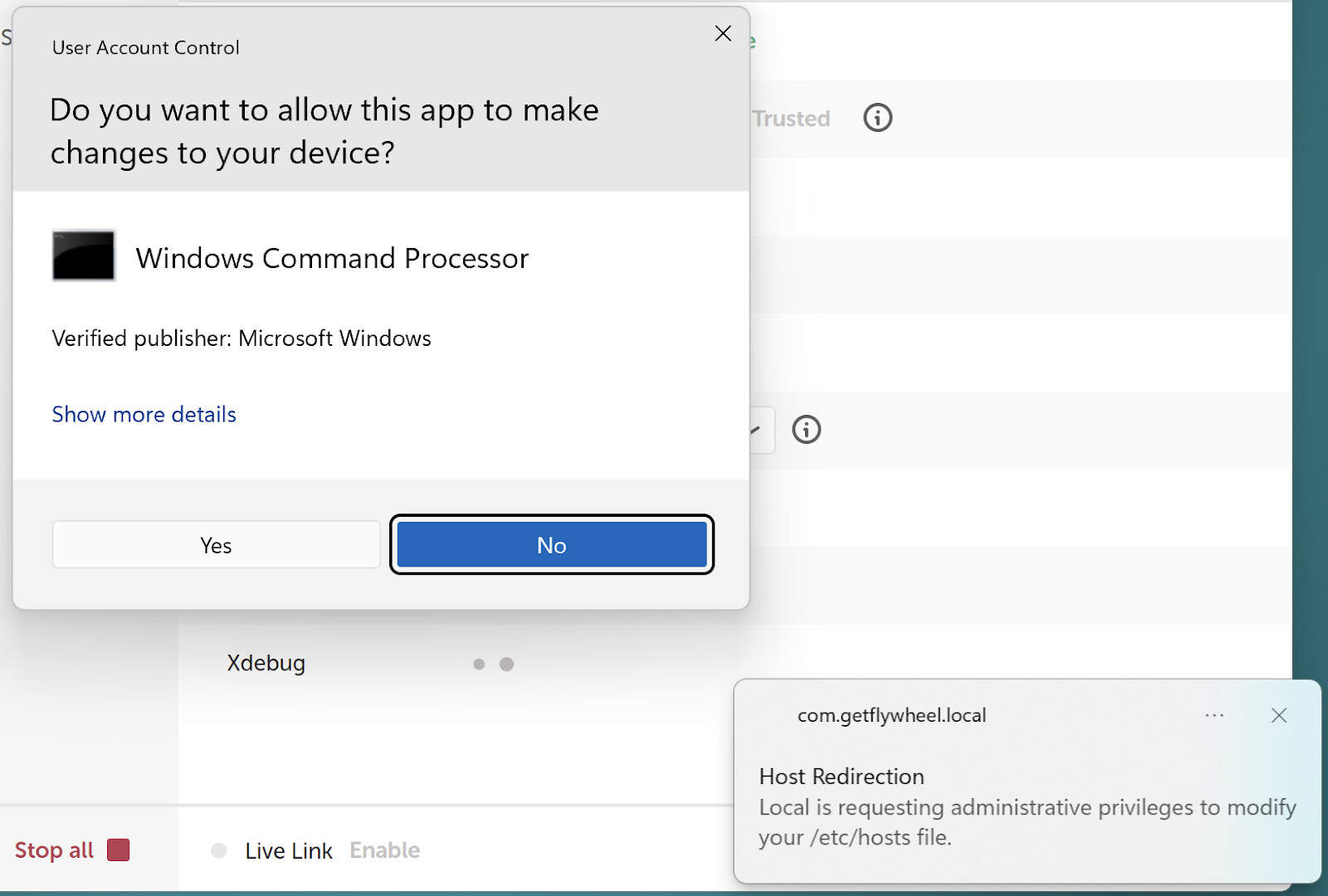
Now, I cannot add site to it. I have tried adding sites to it, and I keep getting that error message. there dialogue that says it wants to make changes to my host file. I have checked my host file; the READ ONLY is unchecked. here’s my log file.
So when you get the prompt @czarpacciotti are you not able to click the box in the bottom right and then click Yes on the new box? Or does the second box never appear?
i saw this video. after each process of deleting my new site, i get this dialogue you posted above. Host Redirection (Local is requesting administrative privileges to modify your /etc/hosts file). after watching this video https://sorts.pro/2XJm7A i tried to modify my own but couldnt. I believe the solution lies there. Screenshot by Lightshot the question now is, how do i make this button clickable?
If your app is still opening @czarpacciotti can you share a fresh Local Log here again? We’ll take another look and see if anything new stands out. Keep us posted and we’d be happy to help further!