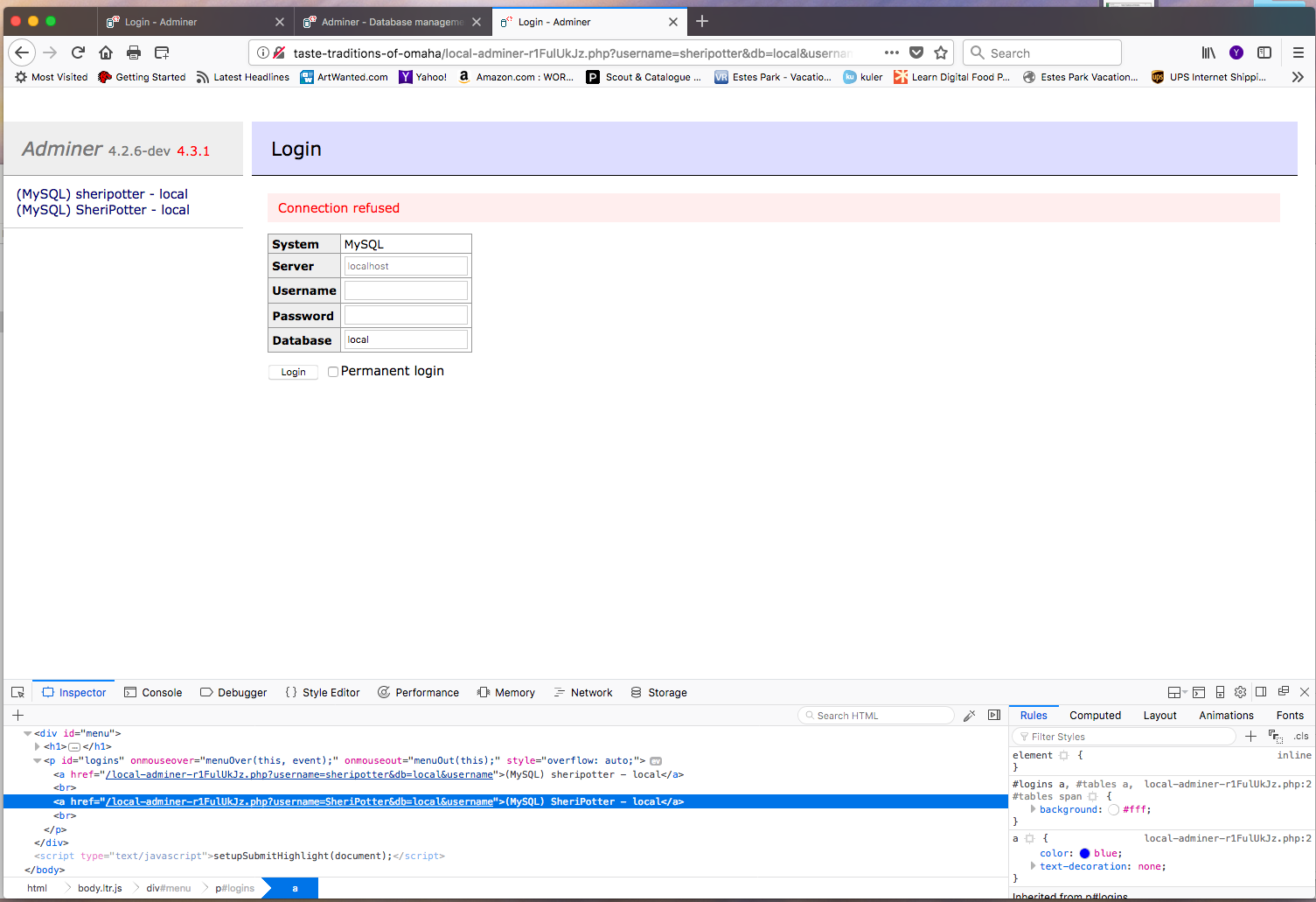
I accidentally changed the wordpress address (url) under the wordpress setting. Now, the site and admin panel is all showing site not found, how can I cnange the address back?
I have the same issue, I have no idea how to fix this issue and no support to help. This forum is not support when it is crunch time.
I got a reply from the customer support, I can’t believe I didn’t see it, I was looking for the access to the db.
Local Flywheel > click on “database” tab > Adminer > find table “your-site”_optoins > modify the db from there.
Thank you Lucent!, I was able to change the name in the options panel and it is still not able to find the server. Not sure where to go from here.
Sheri
Hi @SheriPotter,
Can you please provide screenshots of the site in Local and the error that you’re seeing in your browser?
Sorry for the trouble!


Hi, @SheriPotter. Happy to help Judging my those screenshots, it looks like there’s a mismatch in the site domain.
In the database editing screen, as well as the wp-admin screens, “traditions” is misspelled (missing the second “i”). However, in the screenshot where you’re trying to visit the site and it isn’t working, “traditions” is spelled properly.
I think that mismatch is probably the main source of the issue, and editing either the path you’re visiting or the database so that those are all the same and “traditions” is spelled (or misspelled) the same everywhere will help with the issue.
Give that a shot and let us know how it goes.

I have done that, matched them up, but when I change them I can’t get into WP admin.
Sheri
Can you provide a little more info on what’s happening when you try to get into the WP admin? Is something going wrong when you try to visit the login page, or is it after login? Any specific errors or screenshots will help.
Thanks!
—Josh C.


Please try the following:
- Change any instances of the un-typo’d domain back to the typo’d domain
- Use the “Change Domain” button on the “Setup” panel for the site in Local. Using this will make sure the web server config, site config, and WordPress database are all updated accordingly. Only changing the WP options table won’t work unless you’re changing it to what the Local site is already configured to use.

Hi Clay,
I restarted the localbyflywheel and then was able to delete the name of the site, change it to the one that was spelled correctly and whola, it worked!!! Thanks for your patience.I am off and running. I would like to take this temp site to flywheel what will I need to do special when ready to do that?
Sheri
Glad you got it!
When you want to push the site to Flywheel, click on the Connect to Flywheel button in the bottom-right to log in. It’ll send you back to Local once you log in and then you should see a “Push” button.

Hi Sheri,
The Local IP should stay the same since it’s internal. The only thing that looks like a problem in that screenshot is the missing hosts entry. Clicking “Fix It” and then entering your password should take care of that.
Okay, that would make sense. Just trying to figure out the issue again.
I am getting a message that the Flywheel server is down, I have attempted several times to log-in and it says my password is incorrect, email for a new log-in password, no email is being sent.
I had a presentation today, I was able to get everything up and running yesterday and then today issues all day again. Had to cancel presentation.

I’m very sorry for the trouble you’ve encountered. We’ll get to the bottom of this.
Regarding the 500 error, I’ve passed this along to the platform team to look into.