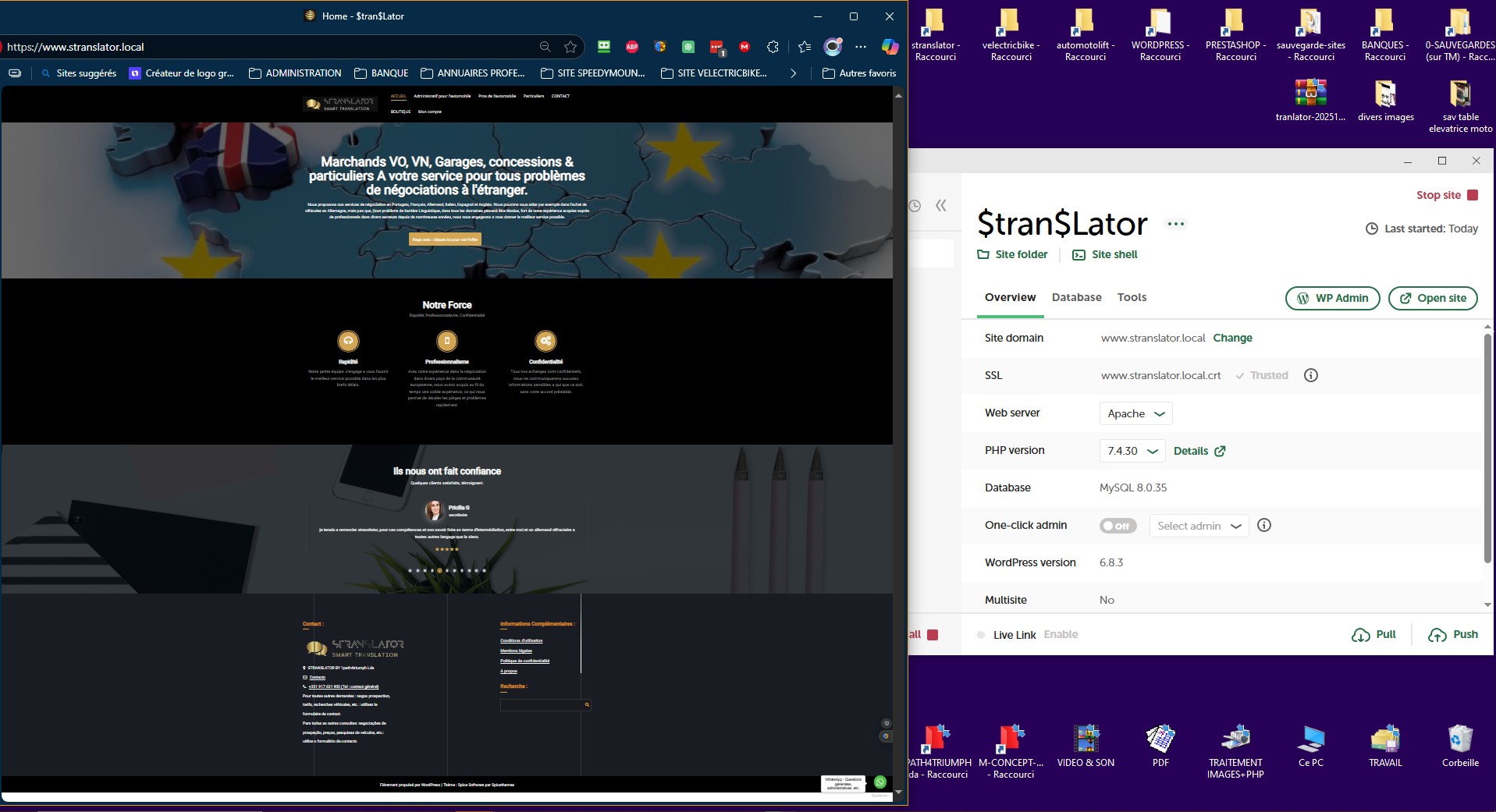
bonjour, etant novice dans l’utilisation de “local” je vous laisse ce post pour vous expliquer les problémes que je rencontre quand je demarre le site wordpress.
merci de votre aide par avance,
cordialement
System Details
Local Version: Version 9.2.8+local-beta-6881
Operating System (OS) and OS version: windows 10
site : wordpress
erreur lors de l’affichage du site : “Ce modèle affiche les sections de la page d‘accueil, et pour afficher ces sections, vous devez activer l‘extension Companion”.
autre probléme : aucuns liens ne fonctionnent quand je clique sur les onglets du menu, j’ai ce message d’erreur : “Not Found The requested URL was not found on this server.”
message d’erreur sur l’application “local” : voir capture de droite écran en haut
message d’erreur sur la page d’accueil du site : voir capture de gauche
There are some different ways to access and share Local Logs. For us to be able to troubleshoot thoroughly, please click the Download Local Logs button from the Support tab in Local. This will generate a zip archive that contains the Local log along with some other diagnostic information to help quickly zero in on any issues that Local is encountering.
It looks like you’re utilizing a Beta release of Local first @dpatrock but you can download our latest standard release straight from here: Releases - Local - This wouldn’t be related to your issue but just to be sure you’re using the proper app and version
As far as the errors you’re facing, you might try opening your dev tools and see if you’re faced with any issues like Mixed Content for example. It might be that you need to Search and Replace URLs, or maybe flush plugin/theme cache. Console overview | Chrome DevTools | Chrome for Developers
Even though you’re not using Live Links, some of the troubleshooting steps from our guide here are similar: Troubleshooting Live Links
We also have a Windows Troubleshooting guide below that goes over some common items worth checking as well. For example, make sure you’re running Local as an admin user, that you don’t have any security blockers, and that Local has access to update your Hosts file.
j’ai installé la dernière version de “local”, rien n’a changé.
j’ai fait toutes les étapes du dépannage Windows, tout était correctement configuré zéros problèmes.
par contre les autres tests via la console je ne comprends pas grand chose.
j’ai contrôlé via l’admin du site les plugins et j’ai vus que aucuns n’étaient installés tous avec un message en rouge indiquant qu’ils étaient manquants.
mon affichage c’est amélioré en faisant ce qui suit :
j’ai installé les plugins (extensions) présents sur mon site original, excepté ceux que je ne suis pas arrivé a télécharger erreur serveur 500 : “woocommerce” et toutes les extensions qui en dépendent, ainsi que “mailpoet”, “wpDataTables - Tables & Table Charts”.
je n’ai plus la ligne d’erreur du companion, ni le message sur local, par contre aucuns liens présents sur la page d’accueil ne fonctionnent.
What happens when you click on your links? Does it do nothing or do you get to some kind of error page?
What you’re looking for in the Dev Console are errors indicating where the problem might be. If links or pictures aren’t working then there might be some indication in there of why.
You might have to inspect the links on your site and see if they are still trying to load from the origin URL or if they are trying to load via the Local URL. You might have to fix them up manually if you want them to open locally.
As far as the plugins it’s difficult to say with certainty but something might have happened during the import process to interrupt that or maybe there was a conflict within the site’s configuration.
pour les plugings, j’ai eté quand méme obligé de déselectionné tous les ‘woocommerce” pour que wp-migrate puisse terminé de charger le dossier zip sans quoi la procédure plantait a chaque fois sur les plugins. mais malgré cela il n’y en avait aucuns sur la sauvegarde.
If you want to try a fresh migration, you could follow our manual steps on the link below. Essentially you’d create a new, blank site first, and then manually import in your content and DB from a WP Migrate Zip backup.
le probléme que j’ai est a la creation du zip avec wp migrate sur mon site original, le tuto que vous indiquez est utile que si la migration fonctionne, ce qui n’est pas le cas avec tous les plugins sélectionnés. j’ai fait de multiples tentatives, toutes se sont soldés par un plantage de la migration zip.