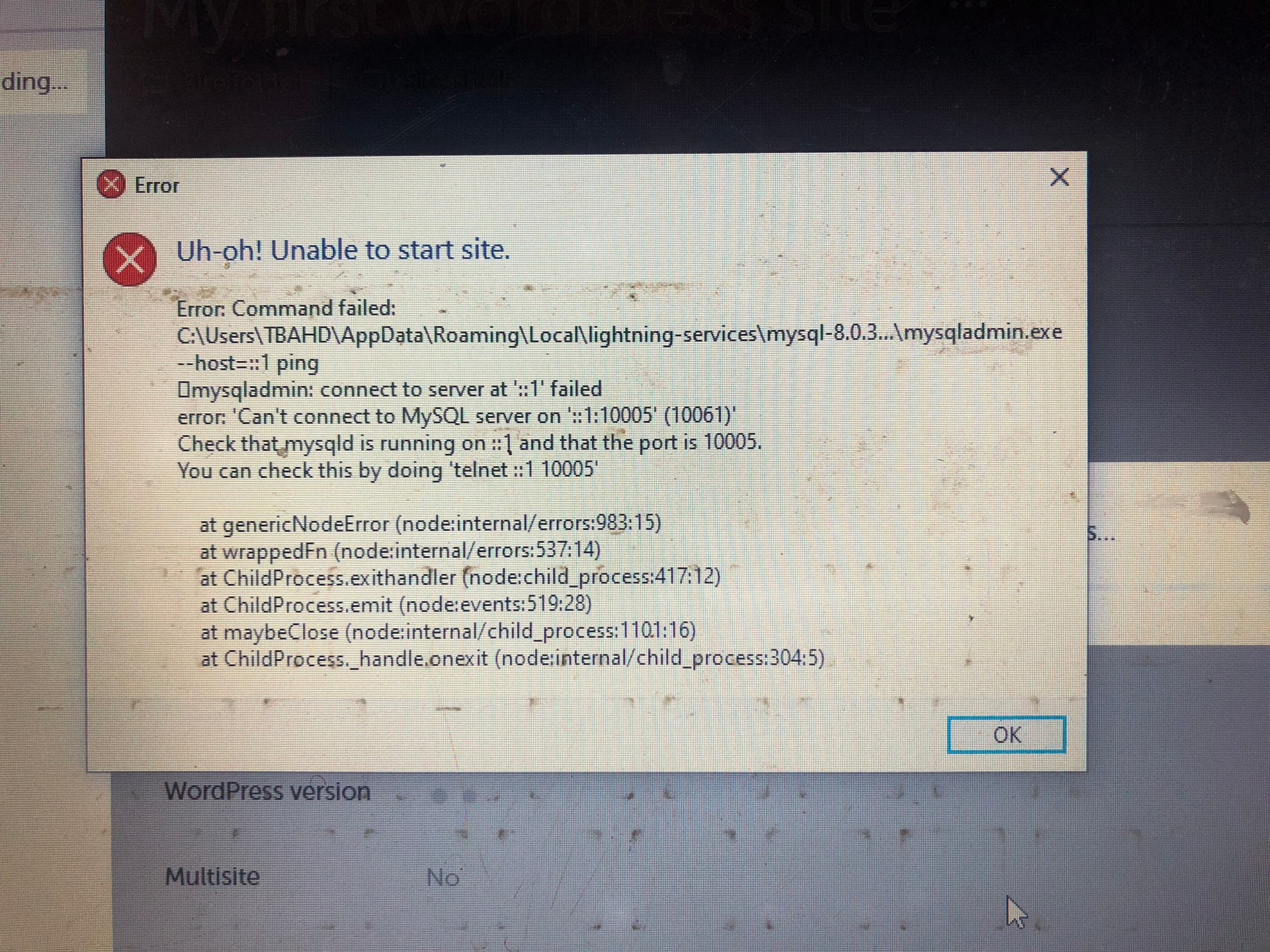
Someone please help
Hi @Tbahd!
We would be happy to assist with your Local troubleshooting! Could you provide some more details to help us take a further look?
-
What is your OS version?
-
What version of Local are you on?
-
Please attach a copy of your Local Logs
Keep us posted and we’d be happy to help further!
OS version is Windows 10
Local version is the latest; version 9.2.9+6887
Log;
local-lightning.log (89.1 KB)
Thank you @Tbahd! It looks like Local is having trouble making connections on your device. To start troubleshooting here, we have a Windows guide below that goes over some common items worth checking. For example, ensure that Local is running as an administrator, that there are no security blockers, and that Local has access to update the Hosts file.
Hello, tried them all and it’s still the same error message
Do you use any kind of VPN or network proxy? Or is there anything else unique about your network connection? For example are you on public wifi or using an office network?
None, I am using WiFi provided from my mobile phone tho
That might be where it’s struggling to make calls out to the API. Are you able to try connecting to another network?
Yeah tried and same still. So sorry this has to drag on for this long and really grateful for the help so far

Tried this earlier, one of first approaches I tried
We’re sort of covering all of the usual suspects here but generally something either on the device or the network is preventing connections from happening. Typically this is either some type of antivirus, security or network culprit. If you’re using any other developer applications, those could also be conflicting. I’m not sure what other network you tried other than your hotspot, but it could be that it was still weak or filtered through a firewall.
Hello, I went through each step again and still same results. Only thing I’ve used the laptop for is react development. Nothing else
Can you share a fresh set of logs here @Tbahd? We can take a look and see if anything different is popping up. There are some different ways to access and share Local Logs. For us to be able to troubleshoot thoroughly, please click the Download Local Logs button from the Support tab in Local. This will generate a zip archive that contains the Local log along with some other diagnostic information to help quickly zero in on any issues that Local is encountering.
local-logs.zip (52.2 KB)
Here you go
These are the two most recent entries in the log, still showing the same as before which seem to indicate that the Firewall or another security/antivirus program is likely blocking connections.
2026/01/06 13:29:58 [error] 6464#4400: *25 connect() failed (10061: No connection could be made because the target machine actively refused it) while connecting to upstream, client: ::1, server: my-first-wordpress-website.local, request: "GET /favicon.ico HTTP/1.1", upstream: "http://127.0.0.1:10005/favicon.ico", host: "my-first-wordpress-website.local", referrer: "http://my-first-wordpress-website.local/wp-admin/"
{"class":"LightningServicesService","code":"ENOTFOUND","errno":"ENOTFOUND","level":"error","message":"request to https://getflywheel.github.io/local-lightning-services/site-services-v2.json failed, reason: getaddrinfo ENOTFOUND getflywheel.github.io","stack":"FetchError: request to https://getflywheel.github.io/local-lightning-services/site-services-v2.json failed, reason: getaddrinfo ENOTFOUND getflywheel.github.io\n at ClientRequest.<anonymous> (%%appPath%%\\node_modules\\node-fetch\\lib\\index.js:1491:11)\n at ClientRequest.emit (node:events:519:28)\n at emitErrorEvent (node:_http_client:105:11)\n at TLSSocket.socketErrorListener (node:_http_client:518:5)\n at TLSSocket.emit (node:events:519:28)\n at emitErrorNT (node:internal/streams/destroy:170:8)\n at emitErrorCloseNT (node:internal/streams/destroy:129:3)\n at process.processTicksAndRejections (node:internal/process/task_queues:90:21)","thread":"main","timestamp":"2026-01-06T12:29:37.812Z","type":"system"}
I just tried changing the mysql version to version 5 under advanced when setting the site up afresh and everything worked
Glad to hear that worked at least! Is there still anything else showing stuck in Task Manager?
None. I am really grateful for your patience and assistance all through. Thank you!
No problem @Tbahd thank you for yours as well 