Hello there!
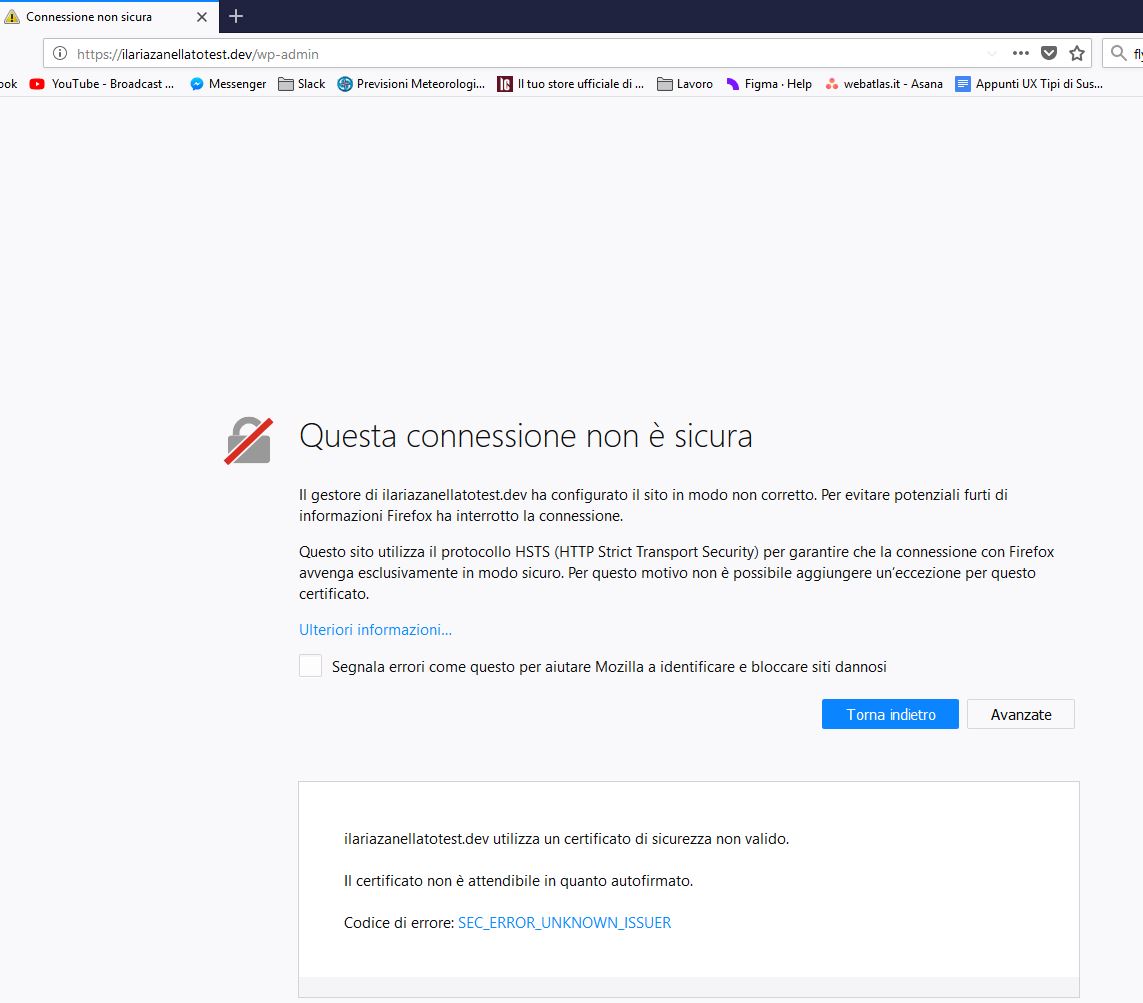
I’m a huge fan of Local By Flywheel, but today i can’t login in my wp-admin.
Seems a https problem, but i couldn’t find any help in the FAQ section. In the Flywheel SSL panel i clicked on “Trust” but nothing has changed
Since this certificate is a self-signed certificate, it isn’t associated with a third party Certificate Authority – that’s what the SEC_ERROR_UNKNOWN_ISSUER error is saying.
That looks like you are using Firefox, which I think is a little more strict about this sort of thing, however you should still be able to tell your browser that you trust this certificate, and therefore proceed to the site.
When I try to access my local HTTPS site in chrome, it works as expected, but in Firefox I need to manually add an exception:
This is ok in this situation because you know this site is trusted – you created it, as well as the certificate! Of course, if you get this kind of a screen when trying to login to your bank – run away!! Something bad is happening!
Thank you so much for your answer Ben !
I appreciate your help, but i didn’t have on Firefox the button to add an exception!
Actually, I resolved and I hope to help others with my solution:
For anyone using Firefox and didn’t have the ADD EXCEPTION button:
open a tab and type about:config
accept
type strict in the search bar
Double-click the network.stricttransportsecurity.preloadlist to switch from true to false
reboot firefox!
Now, someone didn’t have my same luck and needed to edit the file “SiteSecurityServiceState.txt” which i founded, but i couldn’t understand which line delete or edit.
Just a heads up, the “Add Exception” button won’t show for .dev domains in Firefox.
If anyone else is running into this issue, your best bet is to go to the site in Local, click “Change Domain” and change the site domain from .dev to .local.